AI, built in
Five ways AttenIP reads your data so your admin doesn't have to
Every AI feature below runs on numbers AttenIP's own systems already computed — it narrates and cross-references, it never invents a figure. Included on every paid plan, no separate setup.
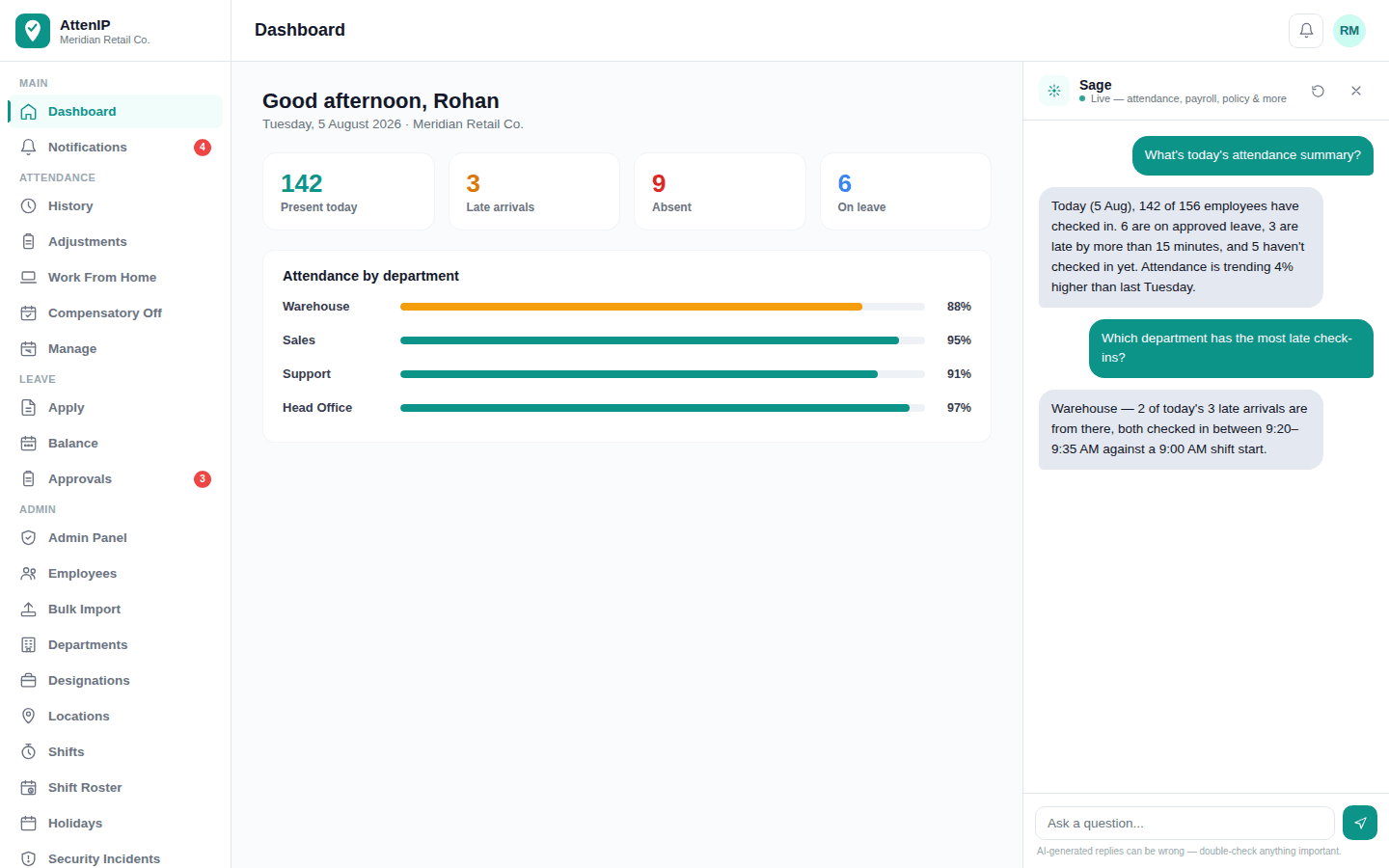
Ask Sage
An assistant that actually knows your company's data
Sage sits in the admin app and answers in plain language — today's attendance, pending approvals, payroll status, leave policy — by looking up your company's live data, not guessing from a generic script.
- Ask about attendance, leave, payroll, and shift roster in plain English
- Answers from your company's own policy documents, not a canned FAQ
- Flags payroll anomalies — net-pay spikes, overtime spikes, data errors — before you finalize a run, not after the money moves
- Available to admin, HR, and manager accounts on desktop
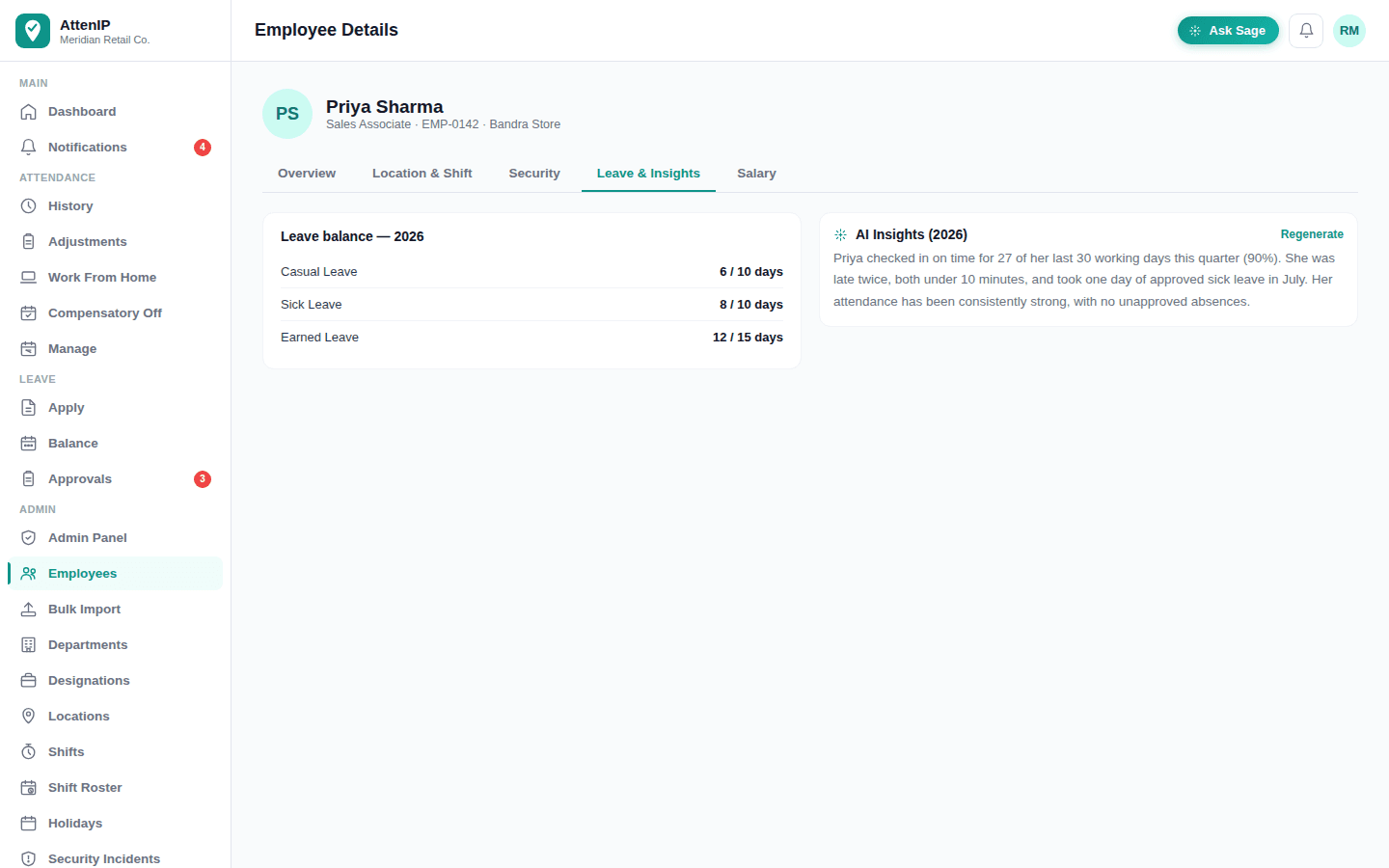
Insights
Attendance data that explains itself
Every employee's attendance trend gets a one-tap, plain-language summary — the pattern an admin would have to spot manually, written out automatically.
- Plain-language summary of on-time rate, lateness, and leave for any period
- Written for a non-technical reader — no dashboards to interpret
- Generated on demand, per employee, from AttenIP's own computed numbers
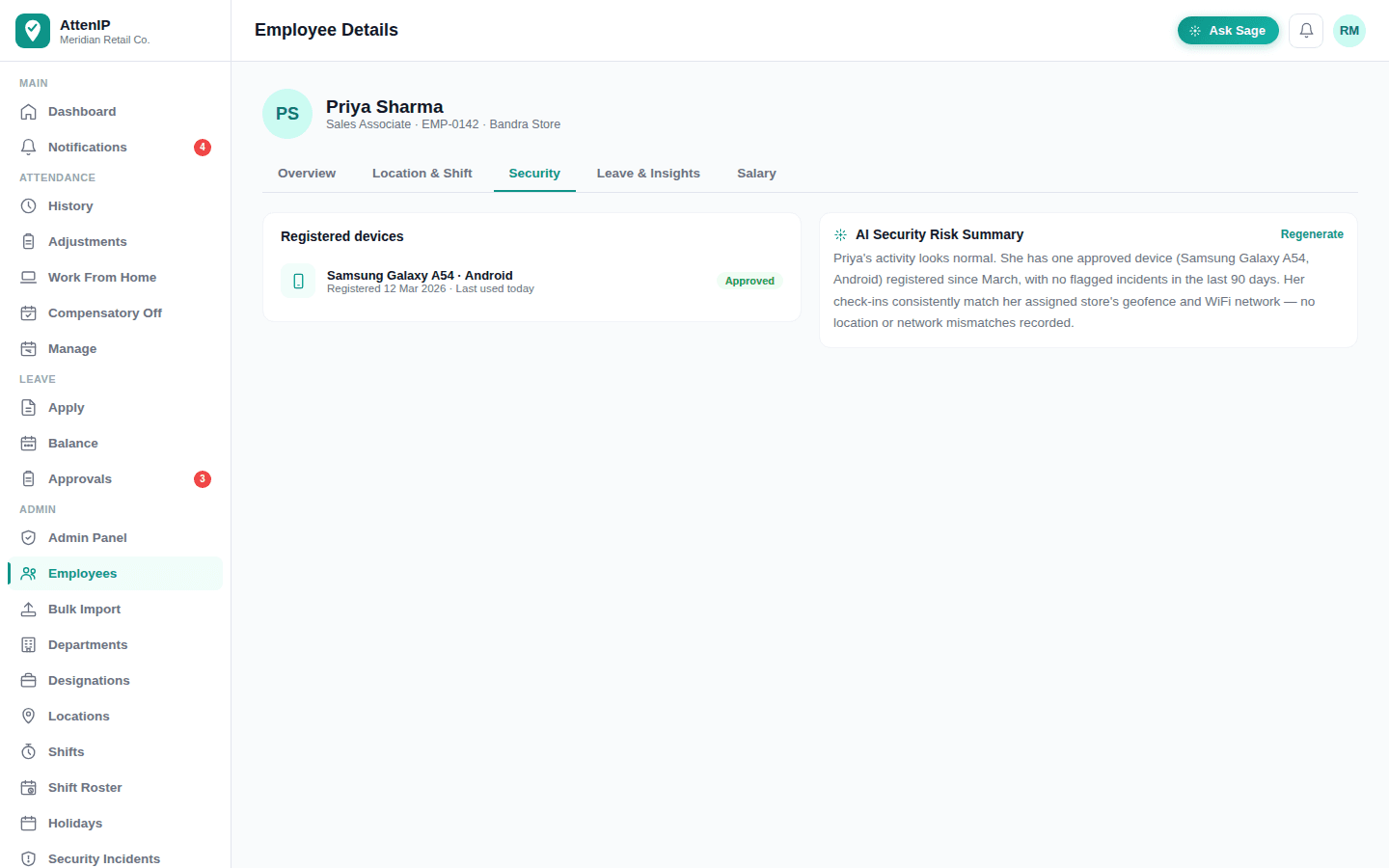
Security
A risk summary before you have to go looking for one
Device approvals, flagged check-ins, and incident history for an employee, narrated into a short summary an HR or security admin can read in seconds.
- Flags repeated incident types and elevated device risk scores
- Says plainly when activity looks normal — not noise for its own sake
- Scoped to the same admin/HR/manager permissions as everywhere else
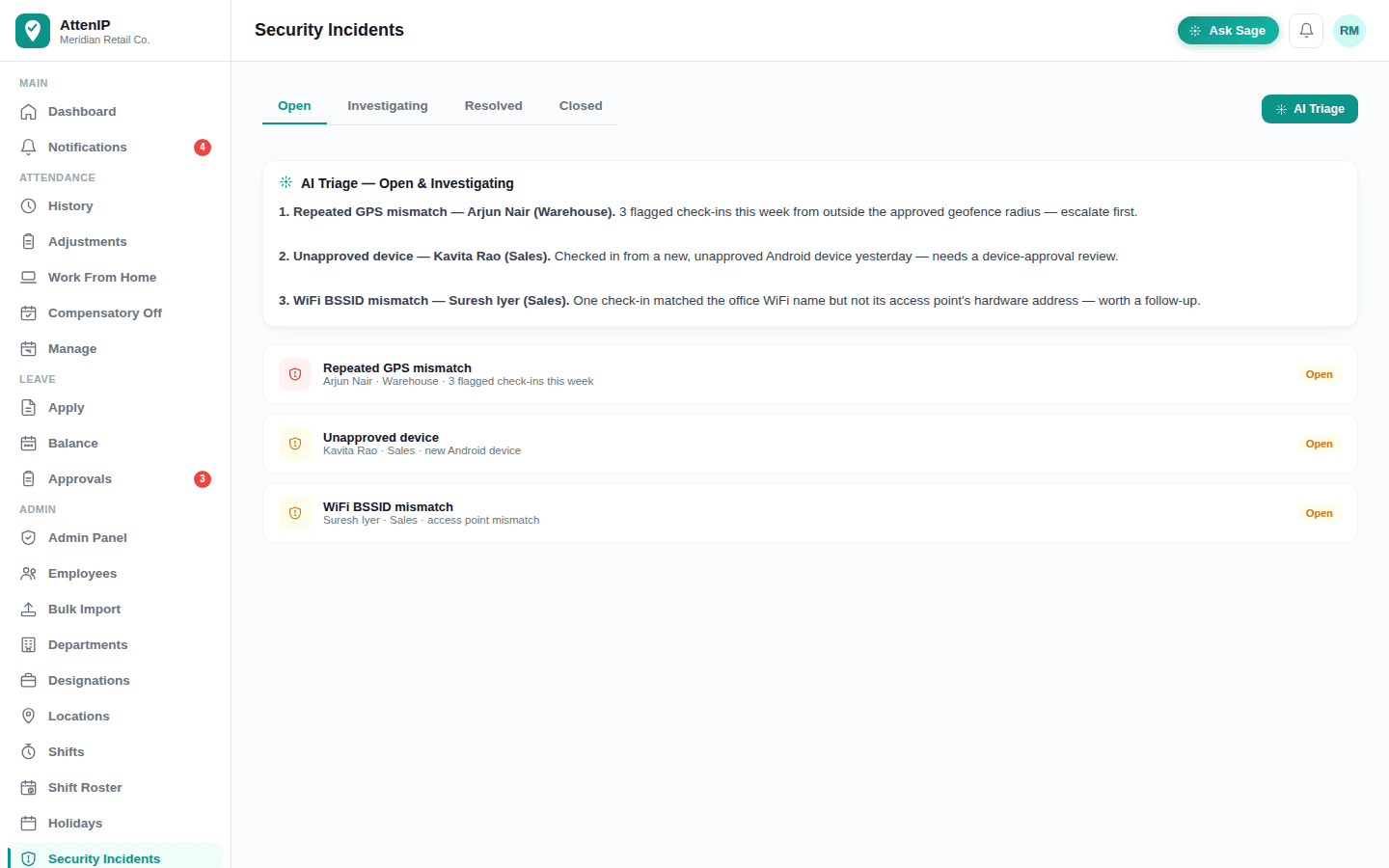
Incident triage
Security incidents, ranked by what actually needs attention
When there's more than one open incident, AttenIP ranks them by urgency — repeated GPS mismatches, unapproved devices, and buddy punching (the same device or IP checking in for two different employees) surface first, with a one-line reason for each.
- Groups and ranks every open/investigating incident, most urgent first
- One-line reason per incident, grounded in the same data admins already see
- A daily digest notification proactively summarizes what's new — no need to remember to check
- Restricted to admin and HR accounts
Roster planning
Understaffing risk, caught before the shift starts
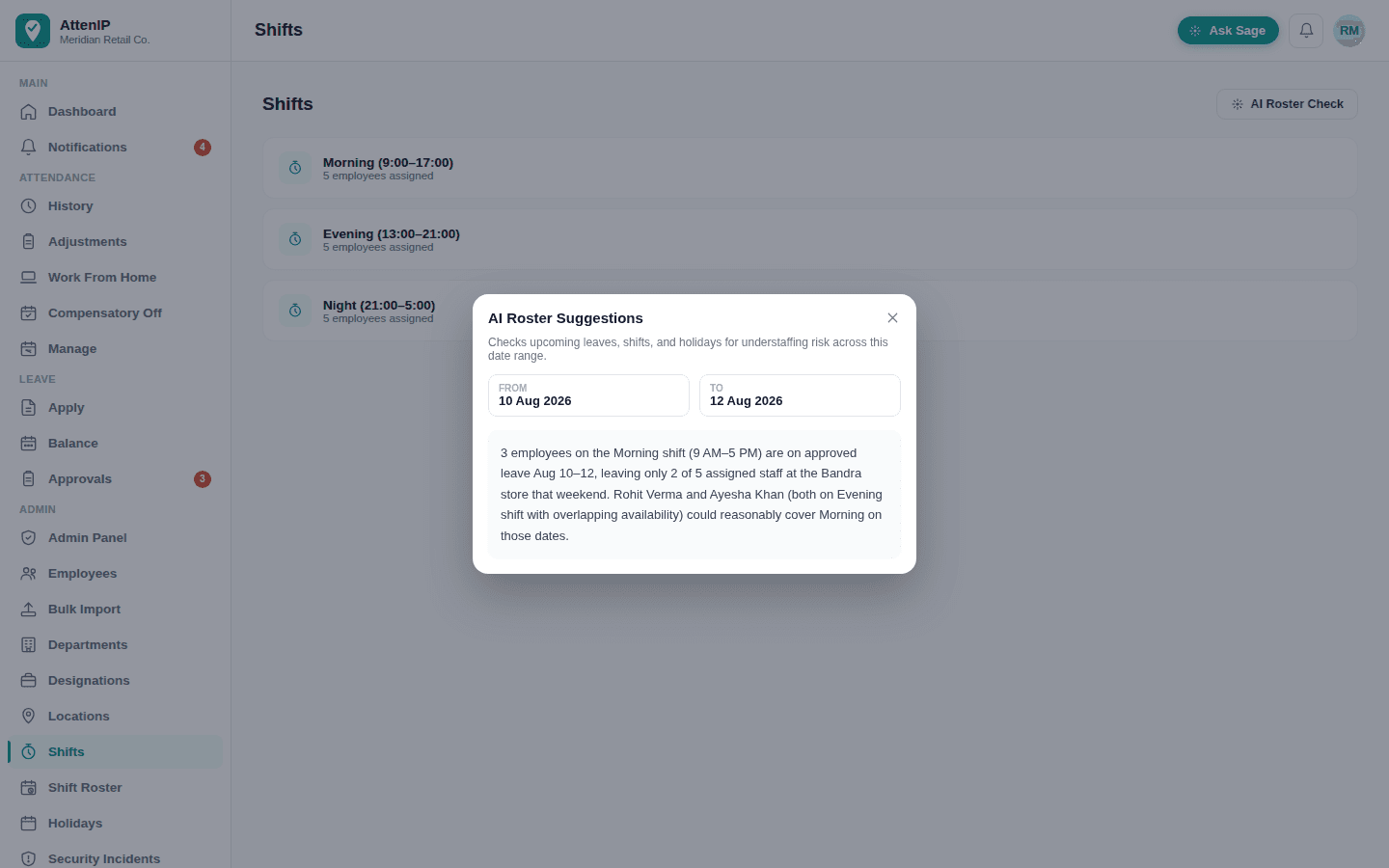
Checking upcoming leaves, shifts, and holidays against who's actually scheduled is exactly the kind of cross-referencing AI is good at — and exactly what admins used to do by hand in a spreadsheet.
- Scans a date range for shifts left thin by overlapping approved leave
- Suggests specific, already-scheduled employees who could cover a gap
- Runs on demand from the Shifts screen, no separate tool required
How this stays trustworthy, not just impressive
Every AI feature is told, in the same system prompt, every time: every number in its input is already final — never recompute, never invent, never claim a violation the data doesn't already show. It only narrates what AttenIP's own deterministic backend already calculated. And it's scoped by the same role-based permissions as the rest of the product, so an AI feature never surfaces data a user couldn't already see.